
Seller reports for real estate agents
Keep your sellers confident every Monday.
A branded seller report with real listing page views, open house sign-ins and your updates. Send a private link or a PDF.
Numbers come from your listing page. Your leads’ contact details never appear.
How it works
From listing page to seller update.
Publish your listing page
Every Listing Suite listing page counts its own views, without cookies. Your own visits are left out.
Collect open house sign-ins
Visitors sign in on an iPad or by scanning your QR code. The report shows the count for each open house.
Log the work
Add showings, buyer feedback, marketing and notes as they happen, over as many weeks as you need.
Write your note
Write a short note yourself, or use Draft with AI for a note and three what-it-means points.
Send it
Copy the private link or download a Letter PDF of up to three pages, in your style.
What’s in the report
The answers your seller keeps asking for.
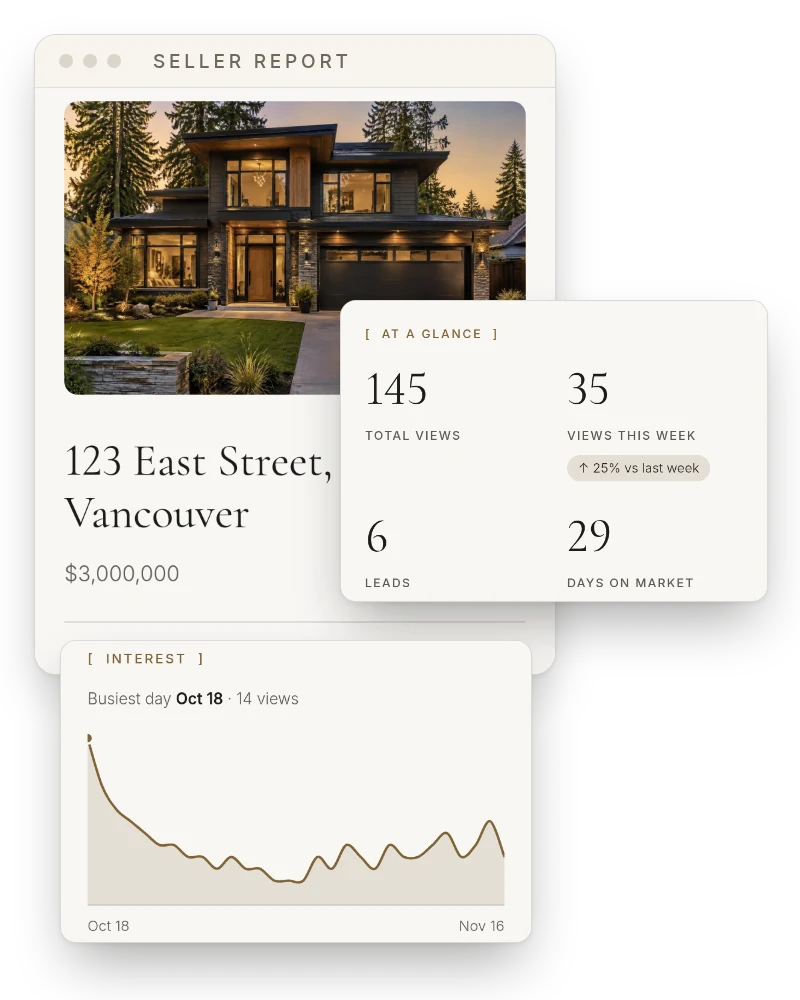
Four key numbers
Total views, views this week with the change from last week, leads and days on market.
What I’ve done
Your listing page, open houses, inquiries and the updates you add, newest first.
Interest over time
A chart of daily views, where they came from, and phone vs computer.
Open house results
The date and number of sign-ins for each open house.
What it means
Your read on the numbers and the next steps, in your words.
Your brand
Your style, accent colour, logos, contact and brokerage details, on a cover with the hero photo.
Honest by design
Real numbers, honestly reported.
Every figure comes from your listing page: views, inquiries and open house sign-ins. Nothing is estimated, and sections with nothing to show are left out.
- A brand new page (under 3 days or 10 views) shows the numbers without trends and says interest is still building.
- Your leads’ contact details never appear. First names stay out unless you turn them on.
- Choose the period: since listing, the last 30 days or the last 7 days.
- It reports on your marketing. It’s not a valuation or a guarantee of results.
A text update vs a Listing Suite seller report
| Compared | A quick text update | The Listing Suite |
|---|---|---|
| What the seller gets | A few lines written from memory. | Views, leads, open house sign-ins and your updates on one branded page. |
| Proof of work | Hard to show what happened behind the scenes. | A dated timeline of showings, feedback and marketing. |
| Price conversations | Based on a feeling. | Based on the interest the listing is getting. |
| Format | Lost in a text thread. | A private link that works on phones, or a Letter PDF. |
| Look | Plain text. | Your style, logo and accent colour. |
Questions
Common questions
- What is a seller report?
- A regular update that shows a seller how their listing is performing and what you’ve done to market it.
- Where do the numbers come from?
- From your Listing Suite listing page: page views, inquiries and open house sign-ins. It doesn’t pull MLS or portal statistics, so add those as an update if you want them in the report.
- Does the report send itself?
- No. You open the report, check it and send it yourself, so nothing reaches your seller that you haven’t seen.
- Does my seller need an account?
- No. They open a private link on their phone or computer, or you send the PDF.
- Will it show who visited?
- No contact details, ever. Open house results are counts. You can choose to show visitors’ first names.
- Is it included in my subscription?
- Yes. Seller reports come with every subscription, along with listing pages, listing content and CMAs. Your first month is free.
Make Monday’s seller update the easy part.
Your first listing page and seller report, in your style. First month free · cancel anytime.
Start your first month free